
Control Panel
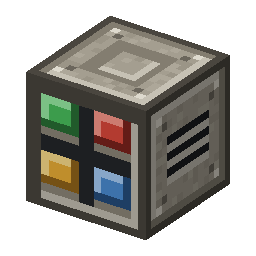
The Control Panel gives players four buttons. Each press runs your program’s handler, so a panel can switch an alarm on and off, open a gate or change a machine’s mode.
How to get it
Section titled “How to get it”


 Control Panel
Place and connect
Section titled “Place and connect”Place it where players can reach it; the buttons face you. Link it to a Network Repeater.
Use and configure
Section titled “Use and configure”Right-click it with an empty hand. The owner and trusted players see the buttons and the settings:
- press a button by selecting it;
- choose Button 1 to 4, type a Label (1 to 24 characters) and select Save label;
- switch restricted to public to let anyone press the buttons.
Visitors to a public panel only see the buttons. A press gives a click sound.
Drive programs
Section titled “Drive programs”Yes: a panel with its own program handles device.buttonPressed and the other events. See the
command panel tutorial.
Program API
Section titled “Program API”Getting it
Section titled “Getting it”controlPanels.named(alias)
Refer to a Control Panel by its name. Use it in a constant, then handle its events with on NAME.event(...).
const panel = controlPanels.named("panel")controlPanels.from(alias)
Resolve a control panel by name.
panel, err = controlPanels.from("gate_panel")Methods
Section titled “Methods”Properties: panel.connected, panel.id, panel.kind, panel.name. They are read-only.
panel.label(button)
Read one button's label. Use Button.ONE to Button.FOUR or 1 to 4.
name = panel.label(Button.ONE)panel.labels()
List the four button labels.
names = panel.labels()panel.setLabel(button, label)
Change a button's label: 1 to 24 characters.
panel.setLabel(Button.ONE, "Open Gate")Events
Section titled “Events”| Event | When it runs |
|---|---|
buttonPressed(button) | Runs when a player presses a button. button has id (Button.ONE to Button.FOUR), number, label and player. |
buttonOne(player) | Runs when button 1 is pressed. player is the name of who pressed it. |
buttonTwo(player) | Runs when button 2 is pressed. |
buttonThree(player) | Runs when button 3 is pressed. |
buttonFour(player) | Runs when button 4 is pressed. |
connected | Runs when the device becomes reachable, for example after its area loads. |
disconnected | Runs when the device stops being reachable: unloaded, unlinked or removed. |
programStarted | Runs when the device's own program starts. |
programStopped | Runs when the device's own program stops. |
programFailed(message) | Runs when the device's own program stops on an error. |
button in buttonPressed is {id, number, label, player}: id is Button.ONE to Button.FOUR, number is 1 to
4 and player is the presser’s name. The single-button events give the presser’s name.
Example
Section titled “Example”const panel = controlPanels.named("panel")
on startup { panel.setLabel(Button.ONE, "Lights on") panel.setLabel(Button.TWO, "Lights off")}
on panel.buttonPressed(button) { print(button.player + " pressed " + button.label)}