
Display Module
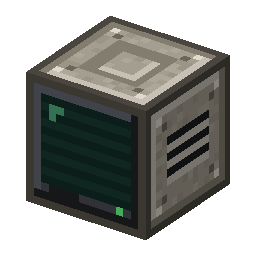
The Display Module is a screen. Programs write text on it, and everyone nearby can read it on the block’s front.
How to get it
Section titled “How to get it”


 Display Module
Place and connect
Section titled “Place and connect”Place it where people will see it; the screen faces you. Link it to a Network Repeater.
Configure
Section titled “Configure”In its form, type text into the box and select Show. Use | to start a new line. Clear removes the text.
On the screen
Section titled “On the screen”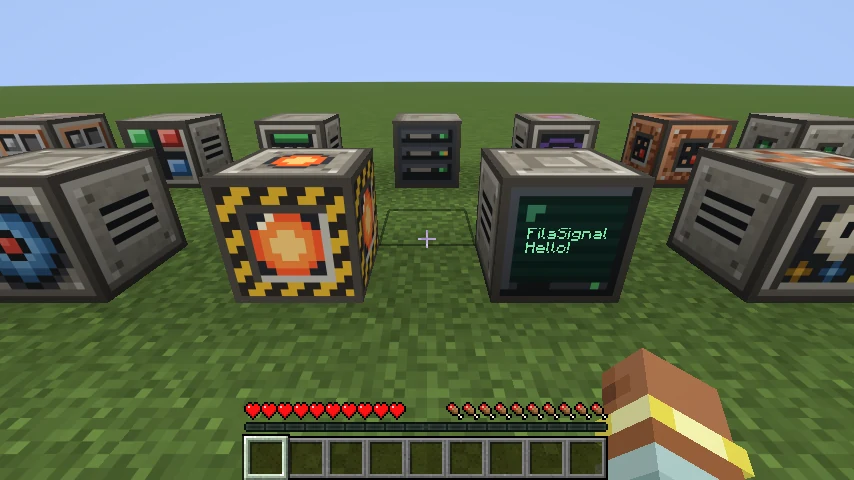
The text appears in green on the block’s screen. Short messages are drawn large; longer text is drawn smaller so it still fits, so keep messages short to read them from a distance. The text is saved with the block and stays after restarts. Players only receive a display’s text, and only when it changes.
Drive programs
Section titled “Drive programs”Yes: device.write(...), device.setLine(...) and the other methods. A display program often listens to other
devices and shows their state; see the autonomous security tutorial.
Program API
Section titled “Program API”Getting it
Section titled “Getting it”displays.named(alias)
Refer to a Display Module by its name. Use it in a constant, then handle its events with on NAME.event(...).
const screen = displays.named("screen")displays.from(alias)
Resolve a display module by name.
board, err = displays.from("lobby")Methods
Section titled “Methods”Properties: screen.connected, screen.id, screen.kind, screen.name. They are read-only.
screen.clear()
Remove all displayed text.
ok, err = board.clear()screen.lines()
Read the displayed lines.
rows, err = board.lines()screen.setLine(index, text)
Replace one line (0–7), adding empty lines before it when needed.
ok, err = board.setLine(0, "Status: OK")screen.setText(text)
Replace the text: up to 8 lines of 48 characters separated by newlines.
ok, err = board.setText("Iron: 64")screen.text()
Read the displayed text with lines separated by newlines.
shown, err = board.text()screen.write(text)
Show text on the display, replacing what was there. Use for a new line.
board.write("Hello!")Events
Section titled “Events”| Event | When it runs |
|---|---|
connected | Runs when the device becomes reachable, for example after its area loads. |
disconnected | Runs when the device stops being reachable: unloaded, unlinked or removed. |
programStarted | Runs when the device's own program starts. |
programStopped | Runs when the device's own program stops. |
programFailed(message) | Runs when the device's own program stops on an error. |
Limits
Section titled “Limits”- 8 lines of up to 48 characters. Longer text fails with
argument.rangeand changes nothing. - Control characters become spaces.
Example
Section titled “Example”const screen = displays.named("screen")global visitors = 0
on startup { screen.write("Welcome!\nVisitors: " + str(visitors))}
on timer.every(1200) { visitors++ screen.setLine(1, "Visitors: " + str(visitors))}