
Redstone Controller
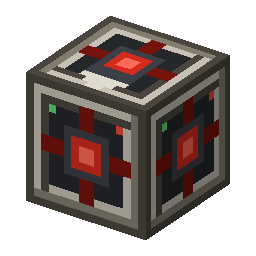
The Redstone Controller connects programs to redstone. Each of its six sides is either an input, which reads the power arriving from a lever, button or circuit, or an output, which powers lamps, doors and pistons.
How to get it
Section titled “How to get it”


 Redstone Controller
Place and connect
Section titled “Place and connect”Place it next to the circuit and link it to a Network Repeater. Sides are named
by world direction, not by how you placed it: north, south, east, west, up and down, or the constants
Direction.NORTH and so on. The arrow on its top points north. Press F3 in Minecraft to see which way you face.
Configure
Section titled “Configure”All sides start as inputs. In the form, type a side into Face and select Input or Output. The form lists the
current outputs. Programs can also change modes with setMode.
Drive programs
Section titled “Drive programs”Yes. A drive program uses device.set(...), device.input(...) and the other methods, and receives
device.inputChanged, device.signalOn and device.signalOff. The older form on redstone.rising("north") also works
there for its own sides.
Program API
Section titled “Program API”Getting it
Section titled “Getting it”redstoneControllers.named(alias)
Refer to a Redstone Controller by its name. Use it in a constant, then handle its events with on NAME.event(...).
const lamps = redstoneControllers.named("lamps")redstone.controller(alias)
Resolve a redstone controller by name.
gate, err = redstone.controller("gate")Methods
Section titled “Methods”Properties: lamps.connected, lamps.id, lamps.kind, lamps.name. They are read-only.
lamps.input(face)
Read the redstone strength (0–15) arriving at a face.
power, err = gate.input("north")lamps.inputs()
Read every input face's strength, keyed by face.
levels, err = gate.inputs()lamps.mode(face)
Read whether a face is an "input" or an "output".
mode, err = gate.mode("south")lamps.output(face)
Read the strength this controller emits from a face.
power, err = gate.output("south")lamps.outputs()
Read every output face's strength, keyed by face.
levels, err = gate.outputs()lamps.set(face, strength)
Emit an integer strength from 0 through 15 on an output face.
ok, err = gate.set("south", 15)lamps.setMode(face, mode)
Make a face an "input" or an "output". Leaving output mode turns the face off.
ok, err = gate.setMode("south", "output")Events
Section titled “Events”| Event | When it runs |
|---|---|
inputChanged(face, power, previous) | Runs when the redstone power arriving at an input face changes. face is a Direction. |
signalOn(face, power) | Runs when an input face turns on. |
signalOff(face) | Runs when an input face turns off. |
connected | Runs when the device becomes reachable, for example after its area loads. |
disconnected | Runs when the device stops being reachable: unloaded, unlinked or removed. |
programStarted | Runs when the device's own program starts. |
programStopped | Runs when the device's own program stops. |
programFailed(message) | Runs when the device's own program stops on an error. |
A named controller’s input sides also raise the older events on redstone.rising("lamps:north"),
redstone.falling and redstone.changed in computer programs.
Limits and behavior
Section titled “Limits and behavior”- Strength is a whole number from 0 to 15. Setting an input side fails with
port.mode. - Outputs turn off when the controller unloads, loses its connection, or its program stops. They are not restored on load.
- Output sides are never read as inputs, so a controller cannot trigger itself.
- Unchanged values cause no block updates.
Example
Section titled “Example”const lamps = redstoneControllers.named("lamps")
on startup { lamps.setMode(Direction.SOUTH, PortMode.OUTPUT)}
on lamps.signalOn(face, power) { // A lever on any input side turns the south lamps on. lamps.set(Direction.SOUTH, 15)}
on lamps.signalOff(face) { lamps.set(Direction.SOUTH, 0)}