
Network Repeater
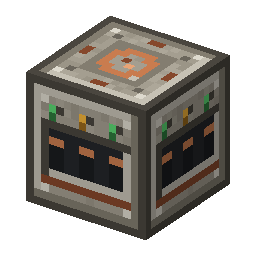
The repeater connects things. A device can never link straight to the computer: it links to a repeater, and the repeater links to the computer or to another repeater. Chain repeaters to reach farther.
How to get it
Section titled “How to get it”

 2 × Network Repeater
One recipe makes two repeaters.
Place and connect
Section titled “Place and connect”Place it within 32 blocks of the computer or of another relay, and link them with the Linking Tool. Then link devices to it. A repeater accepts up to 16 links. Its ports look the same on every side, so its direction does not matter.
Configure
Section titled “Configure”Its form shows its name, network status and how many of its links are connected. You can name it, though programs rarely need to.
Drive programs
Section titled “Drive programs”A repeater cannot run a program.
Program API
Section titled “Program API”Getting it
Section titled “Getting it”repeaters.named(alias)
Refer to a Network Repeater by its name. Use it in a constant, then handle its events with on NAME.event(...).
const hub = repeaters.named("hub")repeaters.from(alias)
Resolve a network repeater by name.
router, err = repeaters.from("router")Methods
Section titled “Methods”Properties: hub.connected, hub.id, hub.kind, hub.name. They are read-only.
hub.links()
List directly linked devices with name, id, kind, capabilities and connected.
linked, err = router.links()hub.status()
Summarize links: total, connected and the computer's network ID.
info, err = router.status()Events
Section titled “Events”| Event | When it runs |
|---|---|
connected | Runs when the device becomes reachable, for example after its area loads. |
disconnected | Runs when the device stops being reachable: unloaded, unlinked or removed. |
Example
Section titled “Example”const hub = repeaters.named("hub")
on hub.disconnected { print("The hub lost its connection. Is its area loaded?")}