
Inventory Module
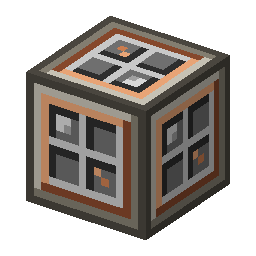
The Inventory Module lets programs look into containers next to it, count items and move items between them. For safety, a program can only use the containers the owner approved.
How to get it
Section titled “How to get it”


 Inventory Module
Place and connect
Section titled “Place and connect”Place it touching the containers, such as chests, barrels, hoppers or furnaces, and link it to a
Network Repeater. Sides are named by world direction: north, south,
east, west, up, down.
Approve a container
Section titled “Approve a container”Only the owner can do this:
- Open the module with an empty hand.
- Type the side into Face, such as
north, and a name into Name, such asstorage. - Select Inventory.
To remove an approval, leave the name empty and select Inventory again. Breaking or replacing the container removes its approval: approve the new one again.
Supported containers
Section titled “Supported containers”Single-block containers with up to 54 slots that expose their slots to automation, like hoppers do. A furnace’s input, fuel and output follow the side you use. Double chests, minecarts, locked containers and unopened loot chests are not supported.
Drive programs
Section titled “Drive programs”Yes. A drive program on the module uses device.inventories() and device.inventory(face), and receives
device.contentsChanged and device.itemChanged, for the approved faces only, even while the computer is unloaded.
Program API
Section titled “Program API”Getting it
Section titled “Getting it”inventoryModules.named(alias)
Refer to an Inventory Module by its name. Use it in a constant, then handle its events with on NAME.event(...).
const chests = inventoryModules.named("chests")inventory.module(alias)
Resolve an inventory module by name.
module, err = inventory.module("warehouse")inventory.from(alias)
Resolve a configured adjacent inventory alias.
storage, err = inventory.from("storage")inventory.from(name) opens an approved container directly by the name given in the form.
Methods
Section titled “Methods”Properties: chests.connected, chests.id, chests.kind, chests.name. They are read-only.
chests.adjacent()
List neighboring blocks with face, block ID and whether they expose items.
around, err = module.adjacent()chests.inventories()
List approved faces with name, face and available.
faces, err = module.inventories()chests.inventory(face)
Resolve the approved inventory on a face as an Inventory.
storage, err = module.inventory("north")Inventories
Section titled “Inventories”inventory(face) and inventory.from(name) give an Inventory:
storage.contains(item)
Test whether at least one of the item is present.
present, err = storage.contains("minecraft:iron_ingot")storage.count(item)
Count the item ID across its component variants.
count, err = storage.count("minecraft:iron_ingot")storage.fullness()
Read occupied capacity as a fraction between zero and one.
value, err = storage.fullness()storage.getSlot(index)
Read an immutable snapshot of a zero-based slot.
slot, err = storage.getSlot(0)storage.isEmpty()
Test whether every visible slot is empty.
value, err = storage.isEmpty()storage.items()
Total each item ID present, keyed by ID.
value, err = storage.items()storage.moveTo(destination, item, amount)
Move up to 256 items while preserving each component variant.
moved, err = storage.moveTo(output, "minecraft:iron_ingot", 16)storage.occupied()
Count non-empty sided slots.
value, err = storage.occupied()storage.size()
Count sided slots.
value, err = storage.size()Events
Section titled “Events”| Event | When it runs |
|---|---|
contentsChanged(face) | Runs when the items in an approved inventory change. |
itemChanged(face, item, count, previous) | Runs when the total count of one item type changes, such as minecraft:iron_ingot. |
connected | Runs when the device becomes reachable, for example after its area loads. |
disconnected | Runs when the device stops being reachable: unloaded, unlinked or removed. |
programStarted | Runs when the device's own program starts. |
programStopped | Runs when the device's own program stops. |
programFailed(message) | Runs when the device's own program stops on an error. |
Contents are compared every 20 ticks, only while a program listens.
Limits and behavior
Section titled “Limits and behavior”- Item IDs are namespaced registry IDs such as
minecraft:iron_ingot. Counts include all variants of an item. moveTomoves up to 256 items per call, respects slot rules and stack sizes, and never duplicates or deletes items. A partial or zero move is a normal result.- Every call checks the approval, the owner, the loaded area and world protection again.
Example
Section titled “Example”const chests = inventoryModules.named("chests")
on chests.itemChanged(face, item, count, previous) { if item is "minecraft:diamond" and count > previous { print("Diamonds: " + str(count)) }}
on timer.every(200) { storage = chests.inventory(Direction.NORTH) output = chests.inventory(Direction.UP) moved = storage.moveTo(output, "minecraft:cobblestone", 64) if moved > 0 { print("Moved " + str(moved) + " cobblestone") }}