
Environment Sensor
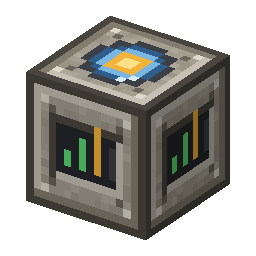
The Environment Sensor looks at the space directly above it, through the glass dome on its top. It measures light, whether the sky is visible, and the biome. Use it for lights that switch on when it gets dark, greenhouse monitors or cave warnings.
How to get it
Section titled “How to get it”


 Environment Sensor
Place and connect
Section titled “Place and connect”Place it where you want to measure, with the space above it open, and link it to a Network Repeater. A block on top of it measures that block’s space instead.
Configure
Section titled “Configure”| Setting | Meaning |
|---|---|
| Device name | The name programs use. |
| Threshold, Save threshold | The light level, 1 to 15, at which darkened and brightened run. Default 8. |
| Refresh | Shows the current readings. |
Readings
Section titled “Readings”read() gives blockLight, skyLight and light (each 0 to 15), skyVisible, biome (such as
minecraft:plains), temperature, precipitation, the position x, y, z, aboveSeaLevel and dimension.
skyLight is the raw sky light and does not change with the time of day. temperature is Minecraft’s unitless biome
value, about -0.7 to 2.0, not degrees.
Drive programs
Section titled “Drive programs”Yes: device.read(), device.light(), device.biome(), device.skyVisible() and the device.darkened and other
events.
Program API
Section titled “Program API”Getting it
Section titled “Getting it”environment.named(alias)
Refer to an Environment Sensor by its name. Use it in a constant, then handle its events with on NAME.event(...).
const probe = environment.named("probe")environment.from(alias)
Resolve an environment sensor by name.
probe, err = environment.from("greenhouse")Methods
Section titled “Methods”Properties: probe.connected, probe.id, probe.kind, probe.name. They are read-only.
probe.biome()
Read the biome ID at the sensor.
biome, err = probe.biome()probe.light()
Read the combined light level (0–15) above the sensor.
light, err = probe.light()probe.read()
Read conditions in the space above the sensor: blockLight, skyLight, light, skyVisible, biome, temperature (unitless biome value), precipitation, position and aboveSeaLevel.
here, err = probe.read()probe.skyVisible()
True when the space above the sensor can see the sky.
open, err = probe.skyVisible()Events
Section titled “Events”| Event | When it runs |
|---|---|
lightChanged(light, previous) | Runs when the light level above the sensor changes. |
skyLightChanged(light, previous) | Runs when the sky light above the sensor changes. |
darkened(light) | Runs when the light drops below the sensor's threshold. |
brightened(light) | Runs when the light reaches the sensor's threshold. |
connected | Runs when the device becomes reachable, for example after its area loads. |
disconnected | Runs when the device stops being reachable: unloaded, unlinked or removed. |
programStarted | Runs when the device's own program starts. |
programStopped | Runs when the device's own program stops. |
programFailed(message) | Runs when the device's own program stops on an error. |
Light is compared every 20 ticks, only while a program listens.
Example
Section titled “Example”const probe = environment.named("probe")const lamps = redstoneControllers.named("lamps")
on startup { lamps.setMode(Direction.SOUTH, PortMode.OUTPUT)}
on probe.darkened(light) { lamps.set(Direction.SOUTH, 15)}
on probe.brightened(light) { lamps.set(Direction.SOUTH, 0)}