
Wireless Network Bridge
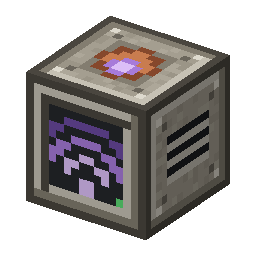
A pair of bridges is a long cable without the cable. Devices at a distant outpost link to one bridge, and the other bridge links back home. Together they form one network.
How to get it
Section titled “How to get it”


 Wireless Bridge
You need two, one for each end.
Set it up
Section titled “Set it up”- Place a bridge near the computer and link it like a repeater, with the Linking Tool.
- Place the second bridge at the far site, up to 256 blocks away in the same dimension.
- Open the first bridge. It lists your own unpaired bridges that are loaded and in range, nearest first. Choose one and select Pair.
- Link the far devices to the far bridge.
The form shows the partner, the distance and whether it is connected. Unpair separates them, even when the partner is unloaded.
- Each bridge has one partner, and you must own both, or be an operator.
- Pairing never joins two different computers’ networks. An unattached bridge joins its partner’s network.
- Both ends must be loaded for the connection to work. Bridges never load or keep chunks loaded.
- A bridge relays like a repeater: it accepts up to 16 links.
Drive programs
Section titled “Drive programs”A bridge cannot run a program.
Program API
Section titled “Program API”Getting it
Section titled “Getting it”bridges.named(alias)
Refer to a Wireless Network Bridge by its name. Use it in a constant, then handle its events with on NAME.event(...).
const link = bridges.named("link")bridges.from(alias)
Resolve a wireless network bridge by name.
link, err = bridges.from("north_link")Methods
Section titled “Methods”Properties: link.connected, link.id, link.kind, link.name. They are read-only.
link.status()
Describe the pairing: paired, peer (its name), connected and distance in blocks.
info = link.status()Events
Section titled “Events”| Event | When it runs |
|---|---|
connected | Runs when the device becomes reachable, for example after its area loads. |
disconnected | Runs when the device stops being reachable: unloaded, unlinked or removed. |
Example
Section titled “Example”const link = bridges.named("link")
on link.connected { status = link.status() print("Bridge connected, partner " + str(status.distance) + " blocks away")}See the wireless remote installation tutorial.